You built the product. You sourced it, packaged it, shipped it, and handled returns. You wrote the listing, managed the reviews, and ran the ads — and then handed 15% to 45% of every single sale straight back to the marketplace. Sound familiar?
Whether you sell on Amazon, eBay, Etsy, Walmart Marketplace, Rakuten, or any other platform, the story is the same. The marketplace takes the lion’s share of your margin while you do all the work. And the worst part? Every customer you earn belongs to them — not to you. You cannot contact them, market to them, or build a relationship with them once the order ships.
In 2026, the most successful eCommerce sellers in the world are making one strategic move: they are building their own Shopify stores, owning their customer relationships directly, and keeping 100% of their profit. This is called Direct-to-Consumer (D2C) — and it is the most significant shift in online retail right now.
This guide by The Shopify Workshop walks you through every step of migrating from any marketplace to Shopify — with a proven strategy used by sellers worldwide to reduce commission dependency and build a brand that lasts.
Why Marketplace Sellers Are Losing More Money Than They Realise
Most sellers look at the referral commission percentage and assume that is what selling on a marketplace costs them. The real number is far higher. When you add up every fee, the true cost of a marketplace sale is shocking.
The Real Cost of Selling on Major Marketplaces in 2026
| Fee Type | Amazon | eBay | Etsy | Walmart Marketplace |
|---|---|---|---|---|
| Referral / Commission Fee | 6% – 20% | 10% – 15% | 6.5% | 6% – 20% |
| Listing / Closing Fee | $0.99/item (Individual) | $0.35/listing | $0.20/listing | None |
| Fulfilment / Shipping Fee (FBA/eBay etc.) | $3.22 – $20+ | Varies | Varies | $3+ via WFS |
| Advertising (to stay visible) | 5% – 25% of revenue | 3% – 12% | 15% Offsite Ads | 5% – 20% |
| Storage Fees (per unit/month) | $0.56 – $3.63 | N/A | N/A | $0.75 – $3+ |
| Estimated Total Cut Per Sale | 25% – 45% | 15% – 30% | 20% – 35% | 15% – 40% |
On a $100 product sold on Amazon, you could realistically pay $25 to $45 back to the marketplace before you count your product cost, packaging, or any other expense. On your own Shopify store, that same $100 sale costs you roughly $2 to $3 in payment processing fees (Shopify Payments charges 2.9% + $0.30). The difference in margin is transformational.
The Hidden Costs That Go Beyond Fees
- You do not own your customer data. Amazon, eBay, and Etsy never share the buyer’s email address or contact information with you. You cannot retarget them, upsell them, or build loyalty. Every customer you earn disappears into the marketplace’s database the moment the order is placed.
- Account suspension risk is real. A single policy violation, a competitor filing a false intellectual property claim, or a wave of negative reviews can get your seller account suspended within hours — freezing all your revenue overnight. Thousands of sellers face this every year with zero warning.
- You compete with the marketplace itself. Amazon operates its own private label brands — Amazon Basics, Amazon Essentials, Solimo — and uses your sales data to identify winning products and undercut you with its own listings. You are paying commission to your most powerful competitor.
- Zero brand equity. Buyers remember “I bought it on Amazon” — not your brand name. No matter how many thousands of orders you fulfil, you are building Amazon’s brand, not yours. When a customer wants to reorder, they go back to Amazon and might buy from a competitor.
- Permanent price war pressure. Marketplace algorithms reward the lowest price. You are constantly pushed to reduce your prices to stay visible, which progressively destroys your margins and makes scaling impossible.
- No control over your storefront. Every product page looks the same. You cannot tell your brand story, design your own layout, offer custom bundles, or create a unique shopping experience. You are one of a million identical listings.
- Algorithm changes wipe out your rankings overnight. One update to Amazon’s A9 or A10 algorithm, one change to eBay’s Cassini, and years of ranking work can disappear. Your entire revenue depends on decisions made by a corporation that does not care about your business.
What Changes When You Own Your Shopify Store
When you move to Shopify, every aspect of the business dynamic shifts in your favour. Here is the reality of what D2C Shopify sellers experience after breaking free from marketplace dependency:
- You keep 95–97% of every sale. Shopify Payments charges 2.9% + $0.30 per transaction on the Basic plan. That is your only ongoing transaction cost — no referral fees, no listing fees, no fulfilment fees charged by the platform.
- You own every customer forever. Every buyer’s email address, purchase history, and behaviour data is yours. You can email them, run retargeting ads at them, send them SMS messages, and build lifetime loyalty — all at close to zero incremental cost.
- Your brand grows with every sale. Customers remember your store name, your packaging, your story. You build an audience that comes back to you directly — not to the marketplace.
- You set every rule. Your pricing, your discounts, your bundles, your return policy, your promotions. No marketplace terms to comply with, no sudden policy changes to adapt to.
- Your store cannot be suspended. You own your Shopify store. No competitor can file a spurious complaint and freeze your income. Your business is yours.
- You can scale with paid and organic channels — and every dollar you spend on Google Ads, Meta Ads, or SEO builds your own brand and your own audience, not the marketplace’s.
Should You Close Your Amazon or eBay Store After Moving to Shopify?
No — and this is the single most important strategic point in this entire guide. The sellers who fail at D2C transitions are usually those who either close their marketplace stores too early or never invest in building their Shopify store seriously. The winning strategy in 2026 is to run both channels simultaneously and gradually shift the balance.
The ideal revenue mix to target over 12–18 months:
- 60–70% from your own Shopify store — high margin, owned customer data, full brand control, long-term business value
- 30–40% from marketplaces — for product discovery, new customer acquisition, and brand credibility signals
Amazon, eBay, and Etsy are powerful discovery engines with hundreds of millions of active buyers. Use them to get found — then systematically convert those marketplace buyers into direct Shopify customers through packaging inserts, loyalty incentives, and email capture. This is the proven playbook used by 7 and 8-figure D2C brands worldwide in 2026.
Phase 1 — Audit Your Marketplace Store Before You Migrate
Before you build a single page on Shopify, you need a clear picture of what you are working with. A thorough audit of your current marketplace business will save you weeks of mistakes and help you prioritise the right products for your new store.
Step 1: Export Your Full Product Catalogue
On Amazon Seller Central:
- Navigate to Inventory → Manage Inventory → Download Report
- Select Active Listings Report and download the CSV file
- This file contains your product titles, descriptions, bullet points, prices, SKUs, and ASINs
On eBay Seller Hub:
- Go to Listings → Active → Download (Export)
- Select CSV format to export all your active listing data
On Etsy:
- Go to Shop Manager → Listings → Download Data
- Export your full listing spreadsheet including titles, descriptions, prices, and tags
Step 2: Identify Your Best-Performing Products
From your marketplace analytics, identify:
- Your top 20 products by revenue — these are your Shopify launch priority
- Products with the highest return rate — these need better product descriptions and photography on Shopify
- Products with 4+ star ratings and 50+ reviews — these carry the strongest social proof for your new store
- Seasonal bestsellers — plan your Shopify marketing calendar around these patterns
- Products with the highest ad spend relative to organic sales — these may perform better on Shopify where you control the margin
Step 3: Calculate Your True Current Margin
For each of your top 10 products, calculate: Sale Price minus all marketplace fees minus product cost minus shipping. This is your current net margin per product. Then calculate what that margin would look like with only Shopify’s 2.9% + $0.30 transaction fee. The difference will tell you exactly how much revenue you are leaving on the table every month — and it is almost always a shocking number.
Step 4: Export and Save All Your Reviews
Your marketplace reviews are years of social proof. Export or manually copy your best product reviews from Amazon, eBay, and Etsy. You will import these into your Shopify store using review apps so that your new store launches with credibility on day one — not zero reviews.
Phase 2 — Setting Up Your Shopify Store the Right Way
The Shopify Workshop handles complete Shopify store builds and migrations for sellers worldwide. If you are setting it up yourself, here is the exact process:
Step 1: Create Your Shopify Account
- Go to shopify.com and start your free trial (3 days free, then $1/month for the first 3 months on most plans as of 2026)
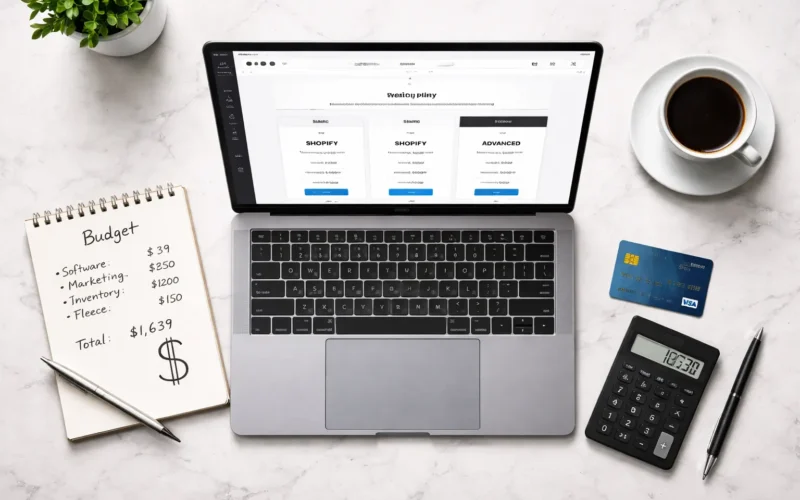
- The Basic Plan at $39/month is the right starting point for most migrating sellers
- Register a custom domain (e.g., yourbrandname.com) — typically $10–$15/year through Shopify or a registrar like Namecheap
- Connect your domain to Shopify through Settings → Domains
Step 2: Choose the Right Shopify Theme for Conversions
Your theme is your storefront. The theme you choose will directly impact your conversion rate. In 2026, these are the highest-converting themes for marketplace sellers launching D2C stores:
- Dawn (Free) — Clean, blazing fast, mobile-first. Excellent for apparel, home goods, and lifestyle products. The most popular free theme globally.
- Sense (Free) — Best for health, beauty, wellness, and personal care brands. Warm, trustworthy aesthetic.
- Craft (Free) — Perfect for handmade products, Etsy sellers migrating to Shopify, and artisan brands.
- Prestige ($320) — Premium luxury aesthetic. Best for jewellery, fashion, high-end accessories, and skincare.
- Turbo ($350) — Best performance for large catalogues (100+ products). Fastest load times of any paid theme.
- Impulse ($350) — Great for electronics, gadgets, and tech accessories. Strong upsell and cross-sell features built in.
Mobile traffic now accounts for 70–80% of global eCommerce visits. Always check your chosen theme’s mobile PageSpeed score before committing. Target a score above 80 on Google PageSpeed Insights for mobile.
Step 3: Configure Your Core Store Settings
- Add your business name, logo, and brand colours under Online Store → Themes → Customise
- Set your preferred currency — Shopify supports multi-currency selling if you are targeting buyers in multiple countries
- Configure shipping zones and rates under Settings → Shipping and Delivery
- Set up your tax settings for your country and the countries you sell to
- Add your legal pages: Refund Policy, Privacy Policy, Terms of Service, Shipping Policy — Shopify has free templates for all of these under Settings → Policies
Phase 3 — Migrating Your Products from Marketplace to Shopify
Step 1: Import Your Product Catalogue
Shopify’s native product importer accepts CSV files, but the column structure from Amazon, eBay, and Etsy does not match Shopify’s format. You need to remap the key columns before importing:
- “item_name” / “Title” → Shopify’s “Title”
- “item_description” / “Description” → Shopify’s “Body (HTML)”
- “standard_price” / “Price” → Shopify’s “Variant Price”
- “main_image_url” / “Image URL” → Shopify’s “Image Src”
- “seller_sku” / “SKU” → Shopify’s “Variant SKU”
- “quantity” / “Stock” → Shopify’s “Variant Inventory Qty”
Use Google Sheets or Excel to remap your columns, then import via Products → Import in your Shopify admin. For catalogues with 100+ products, use Matrixify (formerly Excelify) — the gold-standard bulk migration tool for Shopify in 2026. It handles complex CSV transformations, bulk image imports, and variant mapping automatically.
Other migration tools worth considering:
- LitExtension — Automated migration from Amazon, eBay, Etsy, WooCommerce, and 140+ platforms to Shopify
- Cart2Cart — Good for migrating from established eCommerce platforms to Shopify
- Shopify’s Store Importer App — Built-in free tool for basic migrations from Etsy, WooCommerce, and BigCommerce
Step 2: Rewrite Your Product Descriptions for Google SEO
This is the step that determines whether your Shopify store gets free Google traffic or stays invisible. Your marketplace product descriptions are optimised for the marketplace’s internal search algorithm — they are full of keyword stuffing, bullet-heavy formatting, and character limits designed for Amazon’s A10 or eBay’s Cassini. These descriptions will actively hurt your Google rankings if you copy them across unchanged.
For each product page on Shopify, you need:
- An SEO-optimised product title that naturally includes your primary Google search keyword (e.g., “Handmade Leather Wallet for Men — Bifold Slim Minimalist Design”)
- A 150–300 word product description written for human buyers, not algorithms — focused on benefits, emotions, and use cases rather than just features
- A unique SEO meta title and meta description for each product page, targeting long-tail Google search terms that have purchase intent
- Alt text on every product image — this is pure free SEO that the vast majority of Shopify store owners completely ignore
- Proper use of H2 and H3 headings within your product description for readability and keyword placement
Step 3: Upgrade Your Product Photography
Marketplace platforms impose strict image guidelines — Amazon requires white backgrounds, eBay has specific size rules. On Shopify, you are completely free. In 2026, the D2C stores that convert best use:
- Lifestyle photography showing the product in realistic use — real environments, real people
- Minimum 4–6 images per product, covering all angles
- An infographic-style image showing key features or size comparisons
- Short product videos (15–30 seconds) — even a simple phone video can increase conversion rates by 20–30%
- User-generated content (UGC) photos — real customer photos perform better than studio shots for trust
Step 4: Import Your Marketplace Reviews to Shopify
Social proof is the single biggest conversion driver for a new Shopify store. Importing your existing reviews from Amazon, eBay, and Etsy means you launch with credibility instead of empty product pages. The best review apps for this in 2026 are:
- Judge.me — Best value, free plan available, direct Amazon review import, photo reviews, SEO-rich snippets (star ratings in Google search results)
- Loox — Best for photo and video reviews. Excellent for visual product categories like fashion, home decor, and beauty
- Yotpo — Enterprise-grade solution for high-volume stores. Best for brands with 10,000+ reviews across multiple platforms
- Okendo — Growing in popularity for mid-market D2C brands, strong post-purchase review request flows
Phase 4 — Payments, Shipping & Tax Setup
Payment Gateways for Your Shopify Store
Shopify Payments is available in the US, UK, Canada, Australia, Ireland, New Zealand, and many European countries. It is the simplest and most cost-effective option for sellers in these regions — it eliminates the additional 0.5–2% transaction fee that Shopify charges when you use a third-party gateway.
If Shopify Payments is not available in your country, or if you want additional payment options, here are the best global alternatives in 2026:
- Stripe — Available in 46+ countries. Excellent developer tools, clean checkout experience, competitive rates (2.9% + $0.30 in the US)
- PayPal — Essential to offer as an option regardless of your primary gateway. Millions of buyers prefer PayPal checkout for its familiarity and buyer protection
- Klarna / Afterpay / Affirm — Buy-Now-Pay-Later options. Adding BNPL to your checkout increases average order value by 15–35% and opens your products to buyers who cannot pay full price upfront
- Apple Pay & Google Pay — Enable these through Shopify Payments or Stripe. One-tap checkout on mobile dramatically reduces cart abandonment
Shipping Strategy for Global D2C Sellers
Once you are no longer relying on Amazon FBA or eBay’s fulfilment services, you need to manage your own shipping. Your options:
- Self-fulfilment — You pack and ship orders yourself. Best for small volumes under 20–30 orders per day. Use Shopify Shipping (US, Canada, Australia) to get discounted rates from USPS, UPS, DHL, and Canada Post directly within your Shopify admin.
- Third-Party Logistics (3PL) — A warehouse stores your inventory and ships orders for you. Best for sellers doing 50+ orders per day. Leading 3PL providers with Shopify integration: ShipBob (US, UK, EU, Canada, Australia), Deliverr, Whiplash, and Flexport.
- Dropshipping / Print-on-Demand — For print-on-demand sellers migrating from Etsy: Printful, Printify, and Gelato all integrate natively with Shopify.
Essential shipping apps to install from day one:
- Shopify Shipping — Free, built-in, discounted rates for US/Canada/Australia sellers
- AfterShip — Branded order tracking pages that reduce “Where is my order?” customer service queries by up to 40%
- EasyPost — Best multi-carrier rate comparison for high-volume international sellers
- ShipStation — Excellent for sellers managing fulfilment across multiple sales channels simultaneously
Tax Setup for International Shopify Sellers
- US sellers: Shopify automatically calculates US sales tax in all states where you have nexus. Enable Shopify Tax (included in your plan) for automated compliance.
- UK sellers: Enable VAT collection under Settings → Taxes. Use TaxJar or Avalara for automated UK and EU VAT compliance post-Brexit.
- EU sellers: Shopify supports EU VAT OSS (One-Stop Shop) compliance. Configure per-country tax rates under Settings → Taxes → European Union.
- Australian sellers: Shopify automatically applies GST at 10% for Australian customers. Configure under Settings → Taxes → Australia.
- International shipping: Use Zonos Duty and Tax or Landed Cost by Global-e apps to show customers their full landed cost (including import duties) at checkout — this dramatically reduces international parcel rejection rates.
Phase 5 — Driving Traffic to Your Shopify Store (Global D2C Strategy 2026)
The fundamental shift when you move from marketplace to Shopify is this: on Amazon and eBay, the platform brings customers to you. On Shopify, you bring customers to the platform. This is not a disadvantage — it is where the business opportunity lives. Every customer you acquire is yours permanently, not the marketplace’s.
Strategy 1: Convert Your Existing Marketplace Buyers Into Direct Shopify Customers
Amazon and eBay prohibit sellers from directly soliciting their marketplace customers to shop elsewhere — but there are fully compliant and highly effective ways to drive them to your Shopify store:
- Product insert cards — Include a professionally printed card in every Amazon/eBay/Etsy shipment offering an incentive to shop direct: “Get 15% OFF your next order at [YourStore.com] — use code DIRECT15.” This is fully compliant and consistently achieves conversion rates of 8–18% on direct reorders.
- Brand packaging — Every box, mailer, tissue paper, and sticker should carry your website URL. Every unboxing is a brand impression and a potential direct customer.
- QR codes — Add a QR code to your packaging that links to your Shopify store homepage or a dedicated first-purchase landing page with an exclusive offer.
- Post-purchase email sequence (where permitted) — On Etsy and some eBay categories, you can contact buyers through the platform’s messaging system. Use this to deliver outstanding service and subtly build brand awareness.
Strategy 2: Search Engine Optimisation (SEO) — Your Most Valuable Long-Term Asset
Your Amazon and eBay listings do not build any Google authority for you. From the moment your Shopify store launches, every piece of SEO work you do is building a permanent asset that sends you free, high-intent buyers forever. The core SEO strategy for D2C Shopify stores in 2026:
- Target transactional product keywords with purchase intent — e.g., “best stainless steel water bottle 2026”, “buy handmade leather wallet online”, “organic cotton baby clothes free shipping”. These are the searches made by people who are ready to buy right now.
- Create keyword-optimised collection pages — Each collection page should target a specific category-level search query. “Women’s Running Shoes” and “Waterproof Hiking Boots” should be separate collection pages, each with unique SEO-optimised content, not one generic “Footwear” page.
- Build a content marketing strategy — Publish 2–4 blog posts per month that answer the questions your target customers search for on Google. This builds domain authority and draws in buyers at the research stage of the buying journey.
- Technical SEO from day one — Submit your XML sitemap to Google Search Console, set up Google Analytics 4, compress all images, and enable a fast CDN. Shopify handles most technical SEO basics automatically, but these steps ensure Google can crawl and index your store immediately.
- Build backlinks — Get your products reviewed by bloggers, niche media, and influencers in your category. Each mention with a link to your store increases your Google authority significantly.
Realistic SEO timeline: 3–5 months for initial rankings on long-tail keywords, 6–12 months for competitive category keywords, 12–24 months for strong organic traffic volume. This is why paid advertising runs in parallel during the first year.
Strategy 3: Google Shopping Ads — Capture Buyers Who Are Ready to Purchase
Google Shopping Ads put your products in front of people who are actively searching for exactly what you sell. This is the highest purchase-intent paid channel available to D2C sellers. Setup steps:
- Create a Google Merchant Center account and submit your Shopify product feed (Shopify connects natively to Google Merchant Center)
- Set up Performance Max campaigns in Google Ads — this is Google’s 2026 recommended campaign type for eCommerce, combining Shopping, Display, YouTube, and Search in one automated campaign
- Start with a budget of $20–$50/day per product category and scale what converts
- Install the Google & YouTube App from the Shopify App Store — it syncs your catalogue automatically and tracks conversions accurately
Strategy 4: Meta (Facebook & Instagram) Ads — Build Brand Awareness and Retarget
Meta advertising is the most powerful tool for building a D2C brand with cold audiences and retargeting warm visitors. In 2026, the most effective Meta ad strategies for Shopify sellers are:
- Advantage+ Shopping Campaigns (ASC) — Meta’s AI-powered shopping campaign type that automatically finds your best customers. Outperforming manual campaigns for most eCommerce brands in 2026.
- Instagram and Facebook Reels ads — Short video ads (15–30 seconds) showing your product in use. Lowest cost per impression of any Meta ad format currently.
- Retargeting campaigns — Target people who visited your Shopify store but did not buy. These audiences convert at 3–7x the rate of cold traffic. Install the Meta Pixel (now Meta Conversions API) from day one to start building this audience immediately.
- Lookalike audiences — Once you have 100+ Shopify customers, create a lookalike audience on Meta to find millions of new potential buyers who share the same characteristics as your existing customers.
Strategy 5: Email Marketing — Your Highest ROI Owned Channel
Email marketing delivers an average return of $36–$42 for every $1 spent — the highest ROI of any digital marketing channel. Unlike paid ads, your email list is an owned asset that costs nothing to contact. Set up these automated email flows from launch day:
- Welcome series (3 emails) — Send automatically when someone subscribes. Email 1: Brand story and welcome discount. Email 2: Bestsellers and social proof. Email 3: Urgency reminder to use the welcome discount before it expires.
- Abandoned cart recovery (3 emails) — Sent automatically when a shopper adds to cart but does not complete checkout. A well-optimised abandoned cart sequence recovers 8–15% of otherwise lost revenue.
- Post-purchase series (2 emails) — Email 1: Thank-you, order confirmation, and delivery update. Email 2 (7 days after delivery): Review request and a suggestion for their next purchase.
- Win-back campaign — Automatically sent to customers who have not purchased in 60–90 days. Include your best offer to re-engage them.
- Back-in-stock and new arrival alerts — For customers who viewed out-of-stock products or opted into product update notifications.
The best email marketing platforms for Shopify in 2026 are Klaviyo (industry standard for serious D2C brands, deep Shopify integration), Omnisend (best value for mid-size sellers, includes SMS), and Shopify Email (free, built-in, sufficient for stores just starting their email list).
Strategy 6: Influencer & Creator Marketing
In 2026, the fastest-growing D2C brands are built on creator partnerships, not just paid ads. Micro-influencers (10,000–100,000 followers) in your product’s niche drive better conversion rates than celebrity endorsements because their audiences trust their recommendations. Platforms to find relevant creators include AspireIQ, Creator.co, and Shopify Collabs (built into your Shopify admin).
Phase 6 — Essential Shopify Apps for Migrating Marketplace Sellers in 2026
Install only what you need. Every unnecessary app adds page load time and monthly cost. Here are the must-have apps for a high-converting D2C Shopify store in 2026:
Reviews & Social Proof
- Judge.me — Best free review app. Amazon review import, photo reviews, rich snippets for Google.
- Loox — Photo and video reviews. Best for fashion, beauty, home, and lifestyle.
- Okendo — Best for mid-to-large D2C brands with high review volumes.
Email & SMS Marketing
- Klaviyo — Industry-standard email and SMS automation. Best-in-class Shopify integration.
- Omnisend — Strong email + SMS at better pricing than Klaviyo for smaller lists.
- Postscript — Best dedicated SMS marketing app for Shopify (US-focused).
SEO
- Plug In SEO — Automatically audits and fixes common Shopify SEO issues.
- TinyIMG — Compresses and optimises all product images automatically for faster page load.
- JSON-LD for SEO — Adds structured data markup for rich snippets in Google search results.
Conversion Rate Optimisation
- ReConvert Upsell & Cross-Sell — Post-purchase upsell flows. Increases average order value significantly.
- Vitals: All-in-One Marketing — 40+ conversion tools: sticky cart, countdown timers, trust badges, size guides, currency converter.
- Gempages or Pagefly — Landing page builders for creating high-converting product and collection pages beyond what your theme allows.
Shipping & Fulfilment
- AfterShip — Branded tracking pages, reduces support queries around order status.
- ShipStation — Best for multi-channel sellers managing Shopify + marketplace fulfilment simultaneously.
- ShipBob — 3PL fulfilment with direct Shopify integration for sellers doing 50+ orders daily.
Analytics & Tracking
- Google Analytics 4 — Essential. Install from day one via the Google & YouTube app.
- Microsoft Clarity — Free heatmaps and session recordings. See exactly where visitors drop off on your store.
- Triple Whale — Best attribution and profitability analytics for scaling D2C brands running multiple ad channels.
Realistic Migration Timeline: From Marketplace to Profitable Shopify D2C
At The Shopify Workshop, we have helped sellers through every stage of this transition. Here is an honest, realistic timeline of what to expect:
Days 1–60: Build and Launch
- Shopify store fully built, branded, and tested
- Full product catalogue migrated with SEO-optimised descriptions
- Payments, shipping, and tax fully configured
- Email automation flows live (welcome, abandoned cart, post-purchase)
- Google Analytics 4 and Meta Pixel installed and tracking
- Google Shopping Ads launched for top 10 products
- Insert cards placed in all ongoing marketplace shipments
Months 3–4: Building Traction
- Meta advertising campaigns running and optimising
- First 4–8 SEO blog articles published
- Email list growing from Shopify pop-up capture and Meta lead ads
- First Shopify-native reviews collected from direct customers
- Shopify typically reaches 10–20% of your marketplace revenue at this stage
Months 5–8: Accelerating Growth
- Paid ads scaled on top-performing products and audiences
- First Google organic rankings appearing for long-tail product keywords
- Email list at 1,000–5,000 subscribers generating regular automated revenue
- First influencer partnerships delivering UGC and new audiences
- Shopify revenue typically reaches 25–40% of marketplace revenue
Months 9–18: Revenue Parity and D2C Dominance
- Shopify store generating 50–70% of total business revenue
- Organic SEO traffic becoming a significant, cost-free acquisition channel
- Owned audience (email + SMS) of 5,000–25,000+ customers marketable at near-zero cost
- Marketplace revenue maintained at 30–40% for discovery and diversification
- Overall business profit margins 30–50% higher than marketplace-only operation
10 Critical Mistakes to Avoid During Your Marketplace to Shopify Migration
- Shutting down your marketplace accounts too early. Never cut off marketplace revenue before your Shopify store is generating comparable sales. Run both channels simultaneously for a minimum of 12 months.
- Copy-pasting your marketplace product descriptions directly to Shopify. Amazon SEO copy is optimised for A10, not Google. Every description needs to be rewritten for human buyers and Google search before going live.
- Launching without an email capture strategy. If you launch your Shopify store without a pop-up or inline email capture, you are letting every visitor leave without a way to bring them back. Start building your email list from your very first visitor.
- Choosing a theme that looks good on desktop but performs poorly on mobile. Test your store extensively on mid-range smartphones over a standard 4G connection. This is your average global eCommerce customer’s experience.
- Installing too many Shopify apps. Each app adds weight to your store. A slow store kills conversions. Start with the essential apps only and add more once your core funnel is performing.
- Not setting up the Meta Pixel and Google Analytics from day one. Every day without tracking is lost data. You cannot retarget or optimise without pixel data. Install these before you send a single visitor to your store.
- Expecting instant results from SEO. Organic search traffic from Google takes 4–12 months to build meaningfully. Run paid ads to bridge this gap. Sellers who invest only in SEO and no paid channels typically run out of patience before organic traffic kicks in.
- Pricing identically to your marketplace listings. On Shopify, you have significantly lower costs. You can offer competitive pricing and still maintain higher margins than on marketplaces. Alternatively, use the margin room to invest more aggressively in advertising.
- Ignoring post-purchase experience. The experience after the buy button is where D2C brands are built. Branded packaging, thank-you inserts, a personalised email series, and proactive shipping notifications turn a one-time buyer into a loyal repeat customer who tells their friends.
- Trying to migrate everything at once. Start with your top 20 best-selling products on Shopify. Get the funnel working and converting for these products first, then expand your catalogue progressively. Trying to migrate 500 products on day one leads to half-finished pages and poor customer experience.
How The Shopify Workshop Handles Your Complete Migration
If reading this guide makes you realise how much is involved in doing this migration right — you are correct. There are dozens of technical, strategic, and creative decisions involved in building a Shopify store that actually converts visitors into customers and generates revenue from day one.
At The Shopify Workshop, we specialise exclusively in Shopify store development, migration, and optimisation. We handle every aspect of your Amazon, eBay, Etsy, or Walmart Marketplace to Shopify migration — end to end — so you can focus on running your business rather than building a store.
What The Shopify Workshop Delivers
- Custom Shopify store design — theme selection, full branding, homepage, collection pages, product pages, and all standard pages
- Complete product catalogue migration with SEO-optimised title and description rewrites
- Product image optimisation and organisation
- Review migration from Amazon / eBay / Etsy using Judge.me or your preferred review platform
- Payment gateway setup — Shopify Payments, Stripe, PayPal, and BNPL options
- Shipping carrier integration and shipping zone configuration
- Tax configuration for your country and target markets
- Email marketing setup — Klaviyo or Omnisend flows: welcome, abandoned cart, post-purchase
- Google Analytics 4 and Meta Conversions API installation and testing
- Google Merchant Center feed setup for Shopping Ads
- SEO foundation — sitemaps, meta tags, structured data, Google Search Console setup
- Post-launch training so your team can manage and update the store confidently
- 30 days of post-launch support included
We have completed Shopify migrations for sellers in the US, UK, Canada, Australia, Europe, and beyond — across product categories including apparel, home goods, electronics accessories, health and wellness, beauty, jewellery, sporting goods, pet products, and more.
→ Get Your Free Migration Consultation from The Shopify Workshop — Tell Us About Your Store
Frequently Asked Questions: Marketplace to Shopify Migration 2026
How long does it take to migrate from Amazon or eBay to Shopify?
The technical migration — product catalogue, payments, shipping, and apps — typically takes 3 to 8 weeks depending on catalogue size and store complexity. A store with 50–200 products can be fully built and launched in 3–4 weeks by a professional team like The Shopify Workshop. Building your Shopify revenue to match your marketplace income typically takes 6–18 months of consistent marketing investment.
How much does a Shopify store cost compared to marketplace selling?
Shopify’s Basic Plan costs $39/month with a 2.9% + $0.30 transaction fee per order using Shopify Payments. Compare this to Amazon taking 25–45% of every sale including fees. For a seller doing $10,000/month in revenue, the Shopify platform cost is roughly $330/month versus $2,500–$4,500 in Amazon fees. The platform cost is dramatically lower — the investment required is in marketing to drive traffic to your new store.
Can I import my Amazon reviews to my Shopify store?
Yes. You can export your Amazon, eBay, or Etsy reviews and import them to Shopify using apps such as Judge.me, Loox, or Yotpo via CSV upload. This is one of the first steps in every migration we handle because launching with social proof is critical for converting visitors who are encountering your brand for the first time outside a marketplace.
Will I lose my Amazon search rankings when I move to Shopify?
Your Amazon rankings exist only within Amazon’s platform and have no relationship to your Google rankings. Your Shopify store starts with zero Google authority and builds organic rankings through SEO over 6–12 months. This is why investing in paid traffic (Google Shopping, Meta Ads) from the moment you launch is essential — it bridges the gap until your organic SEO takes hold.
Do I need to close my Amazon or eBay account when I launch on Shopify?
Absolutely not. The best strategy is to keep selling on marketplaces while simultaneously building your Shopify store. Run both channels for at least 12 months, gradually shifting your marketing investment and exclusive products toward Shopify as it gains traction. Many of the world’s most successful D2C brands in 2026 still sell 30–40% of their volume on Amazon for discovery purposes.
What is the best way to drive traffic to a new Shopify store with no audience?
Start with Google Shopping Ads (high purchase intent, immediate traffic) and Meta Advantage+ Shopping Campaigns (brand building and retargeting). Simultaneously, set up an email capture pop-up and begin building your email list from the first day. Place insert cards in all marketplace shipments to convert existing buyers to direct customers. Publish SEO-focused content regularly to build organic traffic over 6–12 months. This multi-channel approach ensures you are not dependent on a single traffic source.
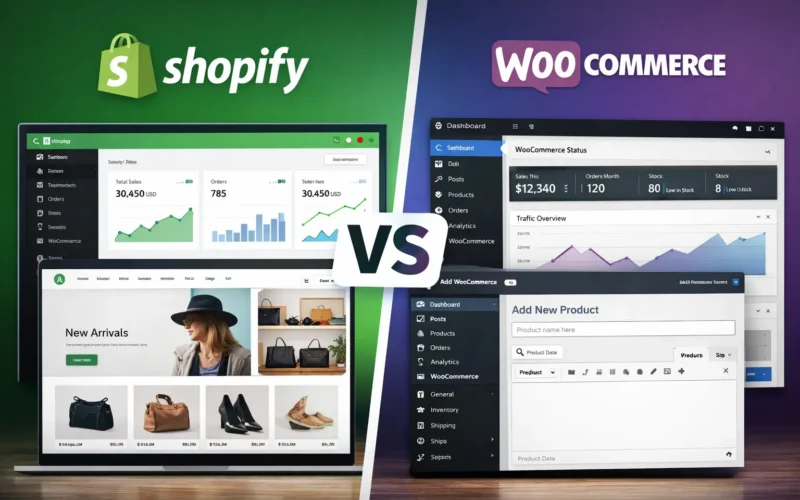
Is Shopify better than WooCommerce for migrating from Amazon?
Shopify is significantly better for marketplace sellers migrating to D2C in 2026 because it is a hosted, fully managed platform — meaning Shopify handles hosting, security, updates, and performance automatically. WooCommerce is self-hosted and requires technical management of servers, plugins, updates, and security. For a seller focused on growing a brand rather than managing technical infrastructure, Shopify’s out-of-the-box reliability and its deep ecosystem of D2C apps and integrations make it the right choice.
Can The Shopify Workshop migrate a store with 500+ products?
Yes. We have migrated large catalogues across multiple categories using Matrixify for bulk imports combined with systematic product page optimisation. For catalogues above 200 products, we provide a phased migration plan — launching with your top-performing 50–100 products first, then expanding the catalogue progressively while maintaining store quality and SEO standards throughout. Contact The Shopify Workshop to discuss your specific catalogue size and requirements.
The Bottom Line: 2026 Is the Year to Stop Paying Commission and Start Owning Your Business
Every marketplace you sell on right now is profitable — for the marketplace. You are doing the work, taking the risk, and funding their growth with your commission payments. Meanwhile, you own no customer data, build no lasting brand equity, and remain one account suspension away from your entire revenue disappearing overnight.
Building your own Shopify store is not about abandoning marketplaces — it is about refusing to be entirely dependent on them. It is about building a business that you actually own. A business with real asset value: a customer list, a recognisable brand, and a revenue stream that no algorithm change, policy update, or competitor complaint can take away from you.
The migration is a 12–18 month journey. It requires investment, strategy, and patience. But the sellers who make this move consistently report that it is the single best business decision they ever made — not just for profitability, but for the freedom and stability it creates.
If you are ready to stop paying commission and start building something that is truly yours, The Shopify Workshop is here to build it with you.
→ Start Your Free Consultation with The Shopify Workshop Today — Let’s Build Your D2C Store