Transform Your Shopify Store with Smart Automation
Managing a successful Shopify store involves much more than processing orders and adding new products. As your business grows, repetitive tasks such as inventory updates, customer tagging, order management, email notifications, and marketing campaigns can quickly become time-consuming and reduce overall efficiency. Handling these processes manually not only increases the risk of human error but also limits the time you can dedicate to growing your business.
Shopify Automation helps streamline these everyday operations by automatically performing routine tasks based on predefined workflows. With tools like Shopify Flow, merchants can automate everything from order processing and inventory management to customer segmentation and internal notifications. This allows businesses to improve productivity, deliver a better customer experience, and scale operations without adding unnecessary manual work.
In this guide, you’ll discover how Shopify Automation works, explore the powerful capabilities of Shopify Flow, learn practical automation examples, and find best practices to help you save time, increase efficiency, and build a more scalable e-commerce business.
Table of Contents
- Transform Your Shopify Store with Smart Automation
- What Is Shopify Automation?
- Why Shopify Automation Matters for E-commerce Businesses
- What Is Shopify Flow?
- How Shopify Flow Works
- Key Benefits of Shopify Automation
- Essential Features of Shopify Flow
- Types of Shopify Automation Workflows
- Order Management Automation
- Inventory Management Automation
- Customer Management Automation
- Marketing Automation
- Shipping & Fulfilment Automation
- Fraud Detection & Risk Management
- Customer Support Automation
- Real-World Shopify Automation Examples
- Shopify Flow Templates You Can Use
- Best Shopify Automation Apps
- Shopify Flow vs Third-Party Automation Tools
- Common Shopify Automation Mistakes to Avoid
- Best Practices for Building Effective Shopify Workflows
- How to Get Started with Shopify Flow
- Why Choose The Shopify Workshop for Shopify Automation
- Frequently Asked Questions (FAQs)
- Final Thoughts
Transform Your Shopify Store with Smart Automation
Running a Shopify store is exciting, but managing daily tasks can quickly become overwhelming. As your business grows, you spend more time processing orders, updating inventory, tagging customers, sending emails, and managing returns. These repetitive tasks can slow down your team and increase the chances of manual errors.
This is where Shopify Automation makes a difference. It helps you automate everyday tasks so your store can run more efficiently. Instead of repeating the same work, you can create workflows that perform actions automatically based on specific triggers and conditions.
With Shopify Flow, you can automate order management, customer segmentation, inventory updates, marketing campaigns, fraud detection, and internal notifications. As a result, your team spends less time on routine work and more time improving customer experience, increasing sales, and growing your business.
Automation also helps you deliver faster and more consistent service. For example, you can automatically tag VIP customers, send personalised emails, update stock levels, notify your team about high-value orders, or flag suspicious transactions. These workflows run in the background, saving valuable time while reducing human error.
Whether you are launching your first Shopify store or managing a growing Shopify Plus business, automation makes scaling much easier. You can handle more orders, improve productivity, and keep your operations organised without increasing your workload.
In this guide, you’ll learn everything you need to know about Shopify Automation and Shopify Flow. We’ll explain how automation works, explore its key features and benefits, share real-world workflow examples, and show you how to build smarter processes that save time and help your ecommerce business grow.
What Is Shopify Automation?
Shopify Automation is the process of using technology to automate repetitive tasks and workflows in your Shopify store. Instead of performing everyday activities manually, automation allows your store to complete them automatically based on predefined triggers and conditions. This helps merchants save time, reduce manual errors, improve operational efficiency, and deliver a better customer experience.
With Shopify Automation, you can automate tasks such as order processing, inventory management, customer segmentation, email notifications, product updates, fraud detection, and marketing campaigns. Whether you run a small online store or a large Shopify Plus business, automation helps streamline daily operations, allowing you to focus on increasing sales and growing your ecommerce business.
Why Shopify Automation Matters for E-commerce Businesses
As your ecommerce business grows, the number of daily tasks increases rapidly. Processing orders, updating inventory, sending confirmation emails, tagging customers, and managing returns manually can take hours every day. These repetitive tasks not only reduce productivity but also increase the risk of human error and delayed customer service.
Shopify Automation helps businesses work smarter by handling these routine tasks automatically. Instead of spending valuable time on repetitive work, your team can focus on improving products, creating marketing campaigns, and delivering a better shopping experience. Automation also ensures that every workflow runs consistently, making your store more efficient and scalable.
Example
Imagine a customer places an order worth $500. Instead of manually reviewing the order, Shopify Flow can automatically:
- Tag the customer as VIP.
- Send a personalised thank-you email.
- Notify your sales team.
- Apply a loyalty reward.
- Add the customer to a premium marketing campaign.
All of these actions happen automatically within seconds, without any manual effort. As a result, you save time, reduce errors, and provide a faster, more personalised customer experience. This is why Shopify Automation has become an essential tool for e-commerce businesses looking to scale efficiently.
What Is Shopify Flow?
Shopify Flow is Shopify’s powerful automation platform designed to help merchants simplify and automate everyday business operations. Instead of manually completing repetitive tasks, Shopify Flow allows you to create intelligent workflows that automatically perform actions based on specific triggers and conditions—all without requiring coding knowledge.
Whether you want to automate order management, customer segmentation, inventory updates, fraud detection, or internal notifications, Shopify Flow makes it easy to build customised workflows that match your business needs. By reducing manual effort and ensuring tasks are completed consistently, it helps improve efficiency, minimize human errors, and create a smoother shopping experience for your customers.
Available for Shopify, Advanced Shopify, and Shopify Plus plans, Shopify Flow is an essential tool for businesses looking to save time, streamline operations, and scale their e-commerce store more effectively. From small businesses to enterprise brands, merchants can use Shopify Flow to automate routine processes and focus on growing their business instead of managing repetitive tasks.
How Shopify Flow Works
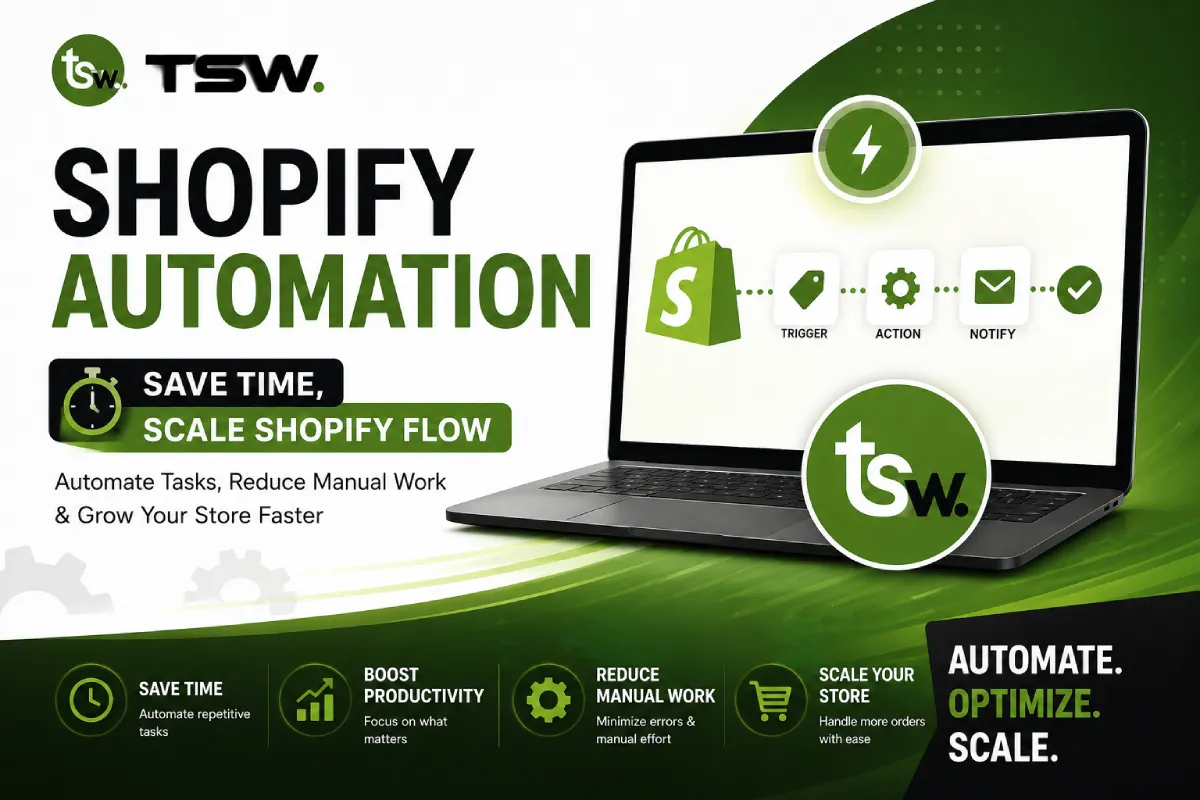
Shopify Flow uses a simple Trigger → Condition → Action workflow to automate tasks across your Shopify store. Every workflow begins with a trigger, such as a new order, customer registration, or inventory update. Shopify Flow then checks whether the defined conditions are met. If they are, it automatically performs one or more actions without requiring any manual intervention.
For example, when a customer places an order worth more than $500, Shopify Flow can automatically tag the customer as VIP, notify your sales team, send a personalized thank-you email, and add the customer to a loyalty campaign. These tasks are completed instantly, helping your business save time, reduce errors, and deliver a better customer experience.
By combining triggers, conditions, and actions, Shopify Flow enables merchants to automate complex business processes with ease. Whether you’re managing inventory, processing orders, segmenting customers, or preventing fraud, Shopify Flow keeps your store running efficiently while allowing you to focus on growing your business.
Key Benefits of Shopify Automation
As your Shopify store grows, managing daily operations manually becomes more challenging. Tasks like processing orders, updating inventory, sending customer emails, and managing returns can consume valuable time and increase the risk of human error. Shopify Automation helps simplify these repetitive processes by allowing your store to perform them automatically, improving efficiency and giving your team more time to focus on business growth.
Whether you’re a small business or a large enterprise, automation can streamline operations, improve customer satisfaction, and reduce operational costs. Below are some of the biggest benefits of using Shopify Automation.
1. Saves Time
Automation handles repetitive tasks such as order tagging, inventory updates, customer notifications, and email campaigns automatically. This reduces manual work and allows your team to focus on strategic activities like marketing, product development, and customer engagement.
2. Reduces Human Errors
Manual processes often lead to mistakes, especially during busy sales periods. Shopify Automation performs tasks consistently based on predefined rules, ensuring greater accuracy in order processing, inventory management, and customer communication.
3. Improves Customer Experience
Customers expect quick updates and personalized shopping experiences. Automation helps you send instant order confirmations, shipping updates, abandoned cart reminders, and personalized offers, resulting in higher customer satisfaction and loyalty.
4. Boosts Team Productivity
Instead of spending hours completing repetitive administrative tasks, your employees can concentrate on high-value work such as improving your store, assisting customers, and growing your brand.
5. Streamlines Inventory Management
Shopify Automation keeps your inventory updated in real time. It can notify your team when stock levels are low, hide out-of-stock products, or trigger restocking workflows, helping prevent overselling and stock shortages.
6. Increases Marketing Efficiency
Automation enables you to create targeted marketing campaigns based on customer behavior. You can automatically send welcome emails, product recommendations, discount offers, and loyalty rewards to improve engagement and conversions.
7. Enhances Order Management
From order creation to fulfillment, Shopify Automation simplifies the entire order lifecycle. It can automatically tag orders, notify warehouse staff, detect high-value purchases, and update customers throughout the shipping process.
8. Supports Business Growth
As order volume increases, manual processes become difficult to manage. Automation allows your business to scale without significantly increasing operational costs or hiring additional staff for repetitive tasks.
Benefits of Shopify Automation at a Glance
| Benefit | Manual Process | With Shopify Automation |
| Time Management | Staff manually complete repetitive tasks every day. | Tasks are completed automatically, saving hours each week. |
| Order Processing | Orders require manual review and updates. | Orders are tagged, processed, and routed automatically. |
| Inventory Management | Stock levels are updated manually. | Inventory updates instantly with automated alerts. |
| Customer Communication | Emails and notifications are sent manually. | Customers receive real-time emails and SMS automatically. |
| Marketing Campaigns | Campaigns require manual segmentation. | Customers are automatically segmented for personalised marketing. |
| Error Reduction | Higher chance of manual mistakes. | Consistent workflows reduce human error. |
| Team Productivity | Employees spend time on repetitive work. | Teams focus on sales, customer service, and business growth. |
| Business Scalability | More orders require more manual effort. | Automation handles higher order volumes efficiently. |
Essential Features of Shopify Flow
Shopify Flow offers powerful features that help automate repetitive tasks and streamline everyday store operations. Using a simple visual workflow builder, merchants can create custom automations with triggers, conditions, and actions—without writing code. It also integrates with Shopify and third-party apps, enabling real-time automation that improves efficiency, reduces manual work, minimizes errors, and supports long-term business growth.
Types of Shopify Automation Workflows
Shopify Automation workflows help merchants automate different areas of their ecommerce business, making daily operations faster and more efficient. Depending on your business needs, you can create workflows for order management, inventory tracking, customer segmentation, marketing campaigns, shipping updates, and fraud prevention.
Each workflow is designed to perform specific tasks automatically when predefined conditions are met. By automating these routine processes, Shopify merchants can reduce manual work, improve operational accuracy, and deliver a more consistent shopping experience while scaling their business with confidence.
Order Management Automation
Order Management Automation helps Shopify merchants streamline the entire order lifecycle by automatically handling repetitive tasks after a customer places an order. Instead of manually reviewing and processing every order, Shopify Flow performs these actions instantly based on predefined rules. This speeds up fulfillment, reduces human errors, and ensures a smoother shopping experience for customers.
Common Order Management Automations
- Automatically tag new orders based on value, location, or product type.
- Identify VIP or high-value orders for priority processing.
- Notify warehouse or fulfillment teams when a new order is placed.
- Send order confirmation emails automatically to customers.
- Flag high-risk or suspicious orders for manual review.
- Assign orders to specific fulfillment locations based on inventory availability.
- Update order status as it moves through the fulfillment process.
- Notify internal teams about urgent or priority orders.
- Automatically apply discounts or loyalty rewards after a successful purchase.
- Trigger post-purchase workflows, such as review requests or follow-up emails.
Example
Trigger: Customer places an order above $500
Actions:
- Add VIP Customer tag.
- Notify the sales team.
- Prioritise order fulfilment.
- Send a personalised thank-you email.
- Add the customer to a loyalty campaign.
This automation saves time, improves order accuracy, and ensures customers receive faster and more personalized service.
Inventory Management Automation
Inventory Management Automation helps Shopify merchants maintain accurate stock levels and reduce the risk of overselling or stock shortages. With Shopify Flow, you can automatically monitor inventory, send low-stock alerts, update product availability, and trigger restocking workflows when inventory reaches a predefined limit. By automating these routine tasks, businesses can improve inventory accuracy, save time, and ensure customers always see the latest product availability, resulting in a smoother shopping experience and more efficient store operations.
Customer Management Automation
Customer Management Automation helps Shopify merchants build stronger relationships by automatically organising and engaging customers based on their behavior and purchase history. With Shopify Flow, you can tag VIP customers, segment audiences, send personalised emails, reward loyal shoppers, and automate follow-up communications. This not only saves time but also improves customer engagement, increases retention, and delivers a more personalised shopping experience that encourages repeat purchases and long-term customer loyalty.
Marketing Automation
Marketing Automation helps Shopify merchants deliver personalized campaigns without manually managing every customer interaction. With Shopify Flow, you can automatically send welcome emails, recover abandoned carts, promote new products, reward loyal customers, and segment audiences based on their shopping behavior. By automating these marketing activities, businesses can improve customer engagement, increase conversions, and build stronger relationships while saving valuable time and effort.
Marketing Automation Examples
| Automation Workflow | Trigger | Automatic Action | Business Benefit |
| Welcome Email | New customer account created | Send a personalised welcome email | Creates a great first impression |
| Abandoned Cart Recovery | Customer leaves items in cart | Send reminder email with discount | Increases cart recovery rate |
| Product Recommendation | Customer completes a purchase | Recommend related or complementary products | Boosts repeat sales |
| Birthday Campaign | Customer’s birthday | Send a birthday discount coupon | Improves customer loyalty |
| Loyalty Reward | Customer reaches spending threshold | Send reward points or exclusive offer | Encourages repeat purchases |
| Win-Back Campaign | No purchase for 60–90 days | Send a personalised re-engagement email | Reactivates inactive customers |
| Review Request | Order delivered successfully | Send product review request | Collects valuable customer reviews |
| Flash Sale Notification | New promotion launched | Notify selected customer segments | Increases campaign engagement and sales |
Shipping & Fulfilment Automation
Shipping & Fulfillment Automation helps Shopify merchants streamline the order delivery process by automating tasks from order confirmation to shipment tracking. With Shopify Flow, you can automatically notify fulfillment teams, update shipping statuses, send tracking information to customers, and prioritize urgent or high-value orders. Automating these processes reduces delays, improves order accuracy, enhances customer communication, and ensures a faster, more reliable delivery experience while minimizing manual effort.
Fraud Detection & Risk Management
Shipping and fulfilment are essential parts of every e-commerce business, and managing them manually can become time-consuming as order volume increases. Shipping & Fulfilment Automation helps Shopify merchants simplify the entire fulfilment process by automatically handling routine tasks such as assigning orders to fulfilment locations, notifying warehouse teams, updating shipping statuses, and sending tracking details to customers. This reduces manual effort, speeds up order processing, and ensures every shipment is handled accurately and efficiently.
With Shopify Flow, merchants can create custom workflows that automate shipping operations based on predefined rules and conditions. For example, high-priority orders can be routed for faster fulfilment, customers can receive real-time shipping updates, and internal teams can be notified whenever an order is ready for dispatch. By automating these repetitive processes, businesses can improve delivery accuracy, enhance the customer experience, reduce operational costs, and scale their fulfilment operations with greater confidence.
Customer Support Automation
Providing fast and reliable customer support is essential for building trust and improving customer satisfaction. Customer Support Automation helps Shopify merchants handle common support tasks automatically, reducing response times and minimizing manual effort. With Shopify Flow, you can automate support-related activities such as creating support tickets, sending order updates, handling return requests, notifying support agents, and following up with customers after a purchase. This ensures customers receive timely assistance while allowing your support team to focus on more complex issues.
By automating routine customer interactions, businesses can deliver a more consistent and personalized support experience. Whether it’s sending shipping notifications, confirming refund requests, or responding to frequently asked questions, Shopify Flow keeps customers informed throughout their shopping journey. This not only improves customer satisfaction but also increases team productivity and helps businesses scale their support operations more efficiently.
Example
Scenario: A customer submits a return request.
Trigger: Return request is created.
Actions:
- Automatically create a support ticket.
- Notify the customer support team.
- Send a confirmation email to the customer.
- Assign the request to the appropriate support agent.
- Update the ticket status once the return is processed.
By automating these steps, merchants can resolve customer requests faster, improve communication, and provide a seamless post-purchase support experience.
Real-World Shopify Automation Examples
1. Automatically Reward High-Value Customers
A fashion retailer uses Shopify Flow to identify customers who spend more than $500. The workflow automatically tags them as VIP, sends a personalized thank-you email, and enrolls them in an exclusive loyalty program. This improves customer retention and encourages repeat purchases without any manual effort.
2. Prevent Stockouts with Inventory Alerts
An electronics store automates inventory management by creating a workflow that monitors product stock levels. When inventory falls below a predefined limit, Shopify Flow instantly notifies the inventory manager, alerts the supplier, and displays a “Low Stock” message on the product page. This helps prevent overselling and ensures products are restocked on time.
3. Recover Abandoned Carts Automatically
A beauty brand uses Shopify Flow to identify customers who leave products in their shopping cart without completing their purchase. After a few hours, the workflow automatically sends a personalized reminder email with a special discount code. This simple automation helps recover abandoned carts, increase conversions, and boost overall sales without requiring manual follow-up.
Shopify Flow Templates You Can Use
1. VIP Customer Management Template
The VIP Customer Management template helps merchants automatically identify and reward their most valuable customers. When a customer reaches a predefined spending limit or purchase frequency, Shopify Flow can assign a VIP tag, send a personalized thank-you email, notify your sales team, or enroll the customer in a loyalty program. This automation helps build stronger customer relationships, improve retention, and encourage repeat purchases without requiring manual effort.
2. Low Inventory Alert Template
The Low Inventory Alert template automatically monitors stock levels and notifies your team when inventory falls below a specified threshold. Shopify Flow can send alerts to inventory managers, notify suppliers, create restocking tasks, or display low-stock messages on product pages. This workflow helps prevent stockouts, reduces overselling, improves inventory accuracy, and ensures customers always see the latest product availability.
3. High-Risk Order Review Template
The High-Risk Order Review template helps protect your Shopify store from fraudulent transactions. When Shopify flags an order as high risk, Shopify Flow can automatically place it on hold, notify your support team, tag the order for review, and request additional verification before fulfillment. This automation reduces financial risk, improves order accuracy, and allows genuine orders to be processed more efficiently while keeping your business secure.
Best Shopify Automation Apps
- Shopify Flow – Best native automation tool for creating no-code workflows for orders, inventory, customers, and products.
- Klaviyo – Automates email marketing, SMS campaigns, abandoned cart recovery, and customer segmentation.
- Mechanic – Ideal for advanced custom workflows, scheduled tasks, and API-based automation.
- MESA – Enables no-code workflow automation with integrations across multiple business applications.
- Gorgias – Automates customer support, ticket management, and order-related inquiries from a single dashboard.
- Omnisend – Helps automate newsletters, welcome emails, abandoned cart reminders, and promotional campaigns.
- Judge.me – Automates review requests, collects customer feedback, and displays social proof to boost conversions.
- AfterShip – Automates shipment tracking, delivery notifications, and post-purchase customer communication.
- Recharge – Automates recurring billing, subscription renewals, and customer subscription management.
- Zapier – Connects Shopify with thousands of third-party apps to automate workflows across your business.
Shopify Flow vs Third-Party Automation Tools
| Comparison | Shopify Flow | Third-Party Automation Tools |
| Integration | Built specifically for Shopify with seamless native integration. | Connects Shopify with multiple external apps and business platforms. |
| Ease of Use | Simple no-code visual workflow builder, ideal for Shopify merchants. | May require additional setup, integrations, or technical knowledge. |
| Best Use Case | Perfect for automating Shopify orders, inventory, customers, and products. | Best for businesses that need automation across CRM, accounting, email, and other software. |
| Cost | Included with eligible Shopify plans, making it cost-effective. | Most tools require separate monthly or usage-based subscription fees. |
| Scalability | Excellent for stores focused entirely on the Shopify ecosystem. | Better suited for businesses managing workflows across multiple platforms and applications. |
Common Shopify Automation Mistakes to Avoid
While Shopify Automation can significantly improve efficiency, poorly designed workflows can create unnecessary problems. Many merchants make the mistake of automating every process without proper planning, testing, or monitoring. This can lead to duplicate actions, incorrect customer tags, or unexpected workflow errors.
To get the best results, start with simple workflows, test them thoroughly, and review their performance regularly. Keeping your automations organized and updating them as your business grows will help ensure smooth operations, better accuracy, and a more reliable customer experience.
Best Practices for Building Effective Shopify Workflows
Creating effective Shopify workflows starts with understanding your business processes and identifying repetitive tasks that can be automated. Begin with simple workflows, define clear triggers and conditions, and test each automation before making it live. This helps ensure your workflows perform accurately and reduce the risk of unexpected errors.
Regularly monitor and optimize your workflows as your business grows. Keep your automations organized, avoid creating duplicate workflows, and review their performance to identify areas for improvement. Following these best practices will help you save time, improve operational efficiency, and create a seamless experience for both your team and your customers.
How to Get Started with Shopify Flow
Follow these simple steps to start automating your Shopify store with Shopify Flow:
- Install or Enable Shopify Flow – Access Shopify Flow from your Shopify Admin (available on eligible Shopify plans).
- Choose a Workflow Template – Browse the built-in templates or create a custom workflow from scratch.
- Select a Trigger – Decide what event will start the automation, such as a new order, customer signup, or inventory update.
- Add Conditions – Define rules that determine when the workflow should continue, such as order value, customer tags, or stock levels.
- Set Actions – Choose the tasks Shopify Flow should perform automatically, like sending notifications, tagging customers, or updating products.
- Test Your Workflow – Run a test to ensure the automation works correctly and performs the expected actions.
- Enable and Monitor – Activate the workflow and regularly review its performance to optimize and improve your automations as your business grows.
Why Choose The Shopify Workshop for Shopify Automation
At The Shopify Workshop, we help businesses unlock the full potential of Shopify Automation by designing workflows that save time, reduce manual effort, and improve operational efficiency. Our team understands that every business has unique requirements, so we build custom Shopify Flow automations tailored to your products, customers, and daily operations. From order processing and inventory management to marketing and customer support, we create automation solutions that help your store run more efficiently and scale with confidence.
Why Businesses Choose Us
- Custom Shopify Flow Workflows tailored to your business needs.
- Experienced Shopify Experts with hands-on ecommerce automation knowledge.
- Seamless App Integrations with leading Shopify apps and business tools.
- Performance-Driven Solutions focused on improving efficiency and reducing operational costs.
- Ongoing Support & Optimization to ensure your automation workflows continue to perform as your business grows.
Whether you’re launching a new Shopify store or optimizing an existing one, The Shopify Workshop provides end-to-end Shopify Automation solutions that help streamline operations, improve customer experiences, and support long-term business growth. Our goal is to help you spend less time on repetitive tasks and more time growing your ecommerce business.
Frequently Asked Questions (FAQs)
1. What is Shopify Automation?
Shopify Automation is the process of using automated workflows to perform repetitive tasks such as order processing, inventory updates, customer tagging, email notifications, and marketing campaigns without manual intervention.
2. What is Shopify Flow?
Shopify Flow is Shopify’s built-in automation platform that allows merchants to create no-code workflows using triggers, conditions, and actions to automate everyday business operations.
3. Do I need coding knowledge to use Shopify Flow?
No. Shopify Flow features a user-friendly visual workflow builder, allowing merchants to create and manage automation without writing any code.
4. What tasks can Shopify Flow automate?
Shopify Flow can automate order management, inventory tracking, customer segmentation, marketing campaigns, shipping notifications, fraud detection, product management, and internal team notifications.
5. Is Shopify Flow free?
Shopify Flow is included with eligible Shopify plans. You can access it directly from your Shopify Admin without paying for a separate automation tool.
6. Can Shopify Flow automate inventory management?
Yes. Shopify Flow can monitor stock levels, send low-stock alerts, notify suppliers, update inventory, and automate restocking workflows to improve inventory accuracy.
7. Can Shopify Flow improve customer experience?
Absolutely. It can automatically send order confirmations, shipping updates, personalized offers, loyalty rewards, and post-purchase emails to provide a better customer experience.
8. Does Shopify Flow integrate with third-party apps?
Yes. Shopify Flow integrates with many popular Shopify apps, including Klaviyo, Gorgias, Judge.me, LoyaltyLion, Recharge, and many others to extend automation capabilities.
9. Can Shopify Flow help prevent fraud?
Yes. Shopify Flow can automatically detect high-risk orders, notify your team, tag suspicious transactions, and place orders on hold for manual review before fulfillment.
10. What are Shopify Flow templates?
Shopify Flow templates are pre-built automation workflows that help merchants quickly automate common business tasks such as VIP customer tagging, inventory alerts, and order processing.
11. Is Shopify Automation suitable for small businesses?
Yes. Shopify Automation benefits businesses of all sizes by reducing manual work, improving efficiency, and allowing merchants to focus on growing their online store.
12. What is the difference between Shopify Flow and third-party automation tools?
Shopify Flow is built specifically for Shopify stores and focuses on native ecommerce automation, while third-party tools connect Shopify with external platforms like CRMs, accounting software, and marketing applications.
13. How do I get started with Shopify Flow?
Simply enable Shopify Flow from your Shopify Admin, choose a workflow template or create one from scratch, configure triggers and actions, test the workflow, and activate it.
14. Can Shopify Flow automate marketing campaigns?
Yes. Shopify Flow can automate customer segmentation, abandoned cart recovery, loyalty rewards, product recommendations, and promotional campaigns when integrated with marketing apps.
15. Why should I hire a Shopify Automation expert?
A Shopify Automation expert can design custom workflows, integrate third-party applications, optimize business processes, and ensure your automation is efficient, scalable, and aligned with your business goals, helping you save time and maximize productivity.
Final Thoughts
Shopify Automation is more than just a time-saving feature—it’s a smarter way to manage and grow your ecommerce business. By automating repetitive tasks such as order processing, inventory management, customer communication, and marketing, you can improve efficiency, reduce manual errors, and deliver a better shopping experience. Whether you’re a small business looking to simplify daily operations or a growing brand preparing to scale, Shopify Flow provides the flexibility to create workflows that fit your unique business needs.
If you’re ready to unlock the full potential of Shopify Automation, The Shopify Workshop is here to help. Our team specializes in designing custom Shopify Flow workflows that streamline operations, boost productivity, and support long-term business growth. Contact us today to discover how tailored automation solutions can help your Shopify store save time, increase efficiency, and scale with confidence.