Why AR and 3D Matter for Ecommerce
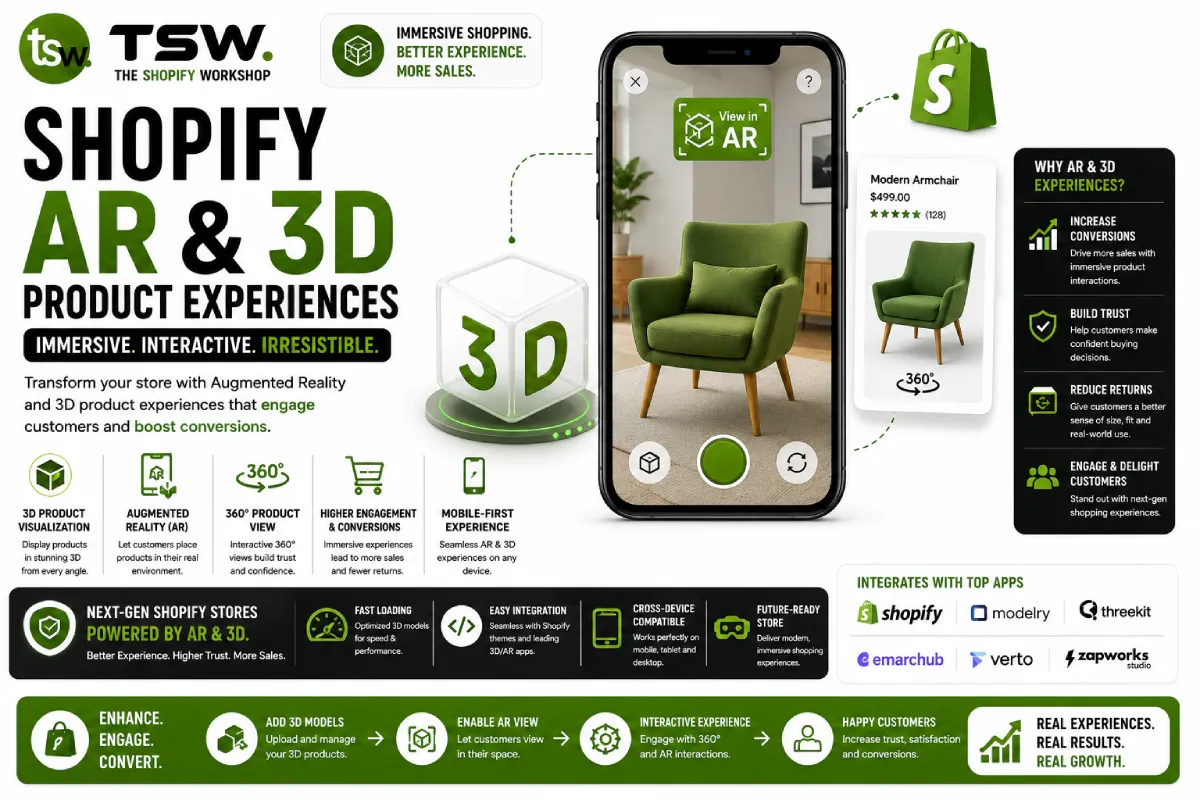
The inability to physically interact with products remains the biggest friction point in online shopping. Augmented reality and 3D product models bridge this gap — letting customers place furniture in their room, try on sunglasses virtually, or examine a product from every angle before purchasing. Shopify merchants using AR report up to 94% higher conversion rates on products with 3D models.
Shopify natively supports 3D models and AR through its product media API, requiring no third-party apps or complex integrations. Combined with a well-optimised custom theme, AR experiences integrate seamlessly into your product pages.
How Shopify AR Works
Shopify uses the model-viewer web component (maintained by Google) to display 3D models directly in the browser. On supported mobile devices, customers tap “View in your space” to launch AR, placing the product in their physical environment through their phone camera. No app download required — it works through the browser on iOS (Quick Look) and Android (Scene Viewer).
The experience is frictionless: a customer browsing a furniture product page can switch from 2D images to a 3D model they can rotate and zoom, then tap to see the sofa in their living room at actual scale. This level of product interaction dramatically reduces purchase hesitation.
Creating 3D Product Models
Quality 3D models require professional creation in formats Shopify supports: GLB (the binary version of glTF) for web viewing and USDZ for iOS AR. You have three options for model creation:
Professional 3D modelling — Hire a 3D artist to create models from product photos and specifications. Best for complex products requiring exact detail. Costs range from £100-500 per model depending on complexity.
Photogrammetry — Use smartphone apps like Polycam or RealityScan to scan physical products into 3D models. Works well for organic shapes and textured surfaces. Quality depends on lighting and scanning technique.
AI-powered generation — Emerging tools generate 3D models from 2D product photos. While not yet matching professional quality, they’re improving rapidly and offer the lowest cost per model for large catalogues.
Implementing AR on Your Product Pages
Upload GLB and USDZ files as product media through the Shopify admin — they sit alongside your product images and videos. Shopify’s standard themes include the model-viewer component automatically. For custom themes, include the model-viewer library and render 3D media using the product.media Liquid object.
Ensure your theme displays a clear “View in AR” button on supported devices. The button should be prominent but not intrusive — positioned near the product images where customers naturally look. Test the AR experience on multiple devices to ensure the model loads quickly and renders at the correct scale.
Impact on Returns and Conversion
The business case for 3D/AR is compelling: merchants report 40% fewer returns on products with AR experiences, as customers have realistic expectations before purchasing. Time on product pages increases by 3-5x when 3D models are available, indicating deeper engagement. Combined with strong conversion optimisation, AR can transform your product page performance.
Product Categories That Benefit Most
AR delivers the highest ROI for products where size, scale, or appearance in context matters: furniture, home decor, lighting, eyewear, jewellery, and fashion accessories. If your customers frequently ask “will this fit?” or “what does this look like in person?”, 3D models answer those questions better than any photo gallery. Explore how AR fits your ecommerce strategy with our team.