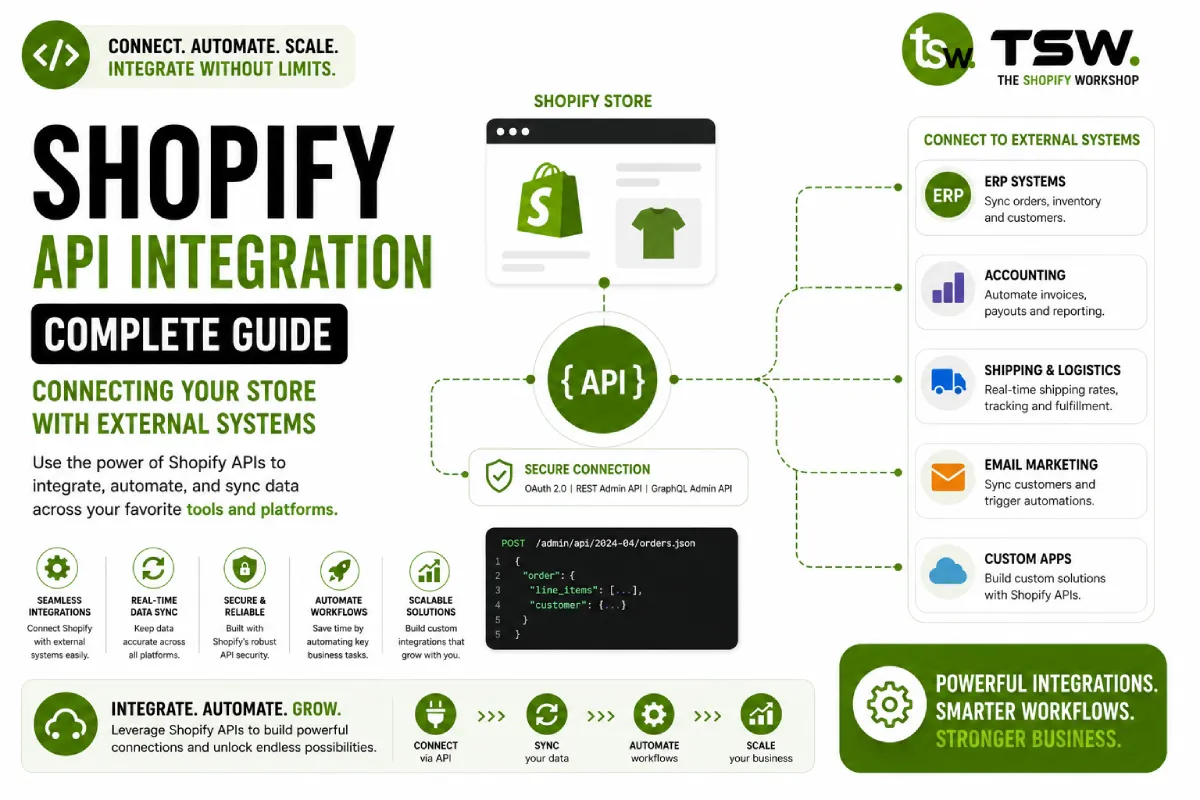
Why Integrations Matter
Modern ecommerce operations involve multiple systems — ERP for inventory and finance, CRM for customer management, WMS for warehousing, and marketing tools for engagement. Connecting these systems to Shopify eliminates manual data entry, reduces errors, and enables real-time decision making.
Shopify API Overview
Admin API (GraphQL)
The Admin GraphQL API is the recommended approach for server-side integrations. GraphQL queries are more efficient than REST — request only the fields you need, reducing payload size and API calls.
REST Admin API
Still available and widely used, the REST API offers a simpler learning curve. Each resource (products, orders, customers) has standard CRUD endpoints. Use for simpler integrations or when working with systems that only support REST webhooks.
Webhooks for Real-Time Sync
Subscribe to events like orders/create, products/update, and inventory_levels/update. Webhooks push data to your endpoint in near-real-time, eliminating the need for polling. Always verify webhook signatures for security.
Common Integration Patterns
ERP Integration
Sync products, inventory levels, pricing, and orders between Shopify and systems like SAP, NetSuite, or Xero. Bi-directional sync ensures both systems stay current. Our development team builds custom middleware for complex ERP scenarios.
CRM Integration
Push customer data, order history, and engagement metrics to Salesforce, HubSpot, or custom CRMs. Enable sales teams with complete customer profiles and trigger automation based on purchase behaviour.
Fulfilment Integration
Connect Shopify with 3PL providers, warehouse management systems, or custom fulfilment workflows. Automate order routing, tracking number updates, and inventory adjustments.
Marketing Platform Integration
Sync customer segments, purchase data, and product catalogues with marketing platforms. Enable personalised campaigns, dynamic product ads, and attribution tracking across channels.
Middleware Architecture
When to Use Middleware
Direct API-to-API integrations work for simple scenarios. For complex multi-system orchestration, a middleware layer handles data transformation, error handling, retry logic, and monitoring. Tools like Celigo, MuleSoft, or custom Node.js services serve this role.
Queue-Based Processing
High-volume stores should use message queues (Redis, RabbitMQ, or SQS) to buffer webhook events. This prevents data loss during traffic spikes and allows controlled processing rates that respect API rate limits.
Rate Limiting and Best Practices
- Shopify enforces rate limits — 2 requests/second for REST, cost-based limits for GraphQL
- Implement exponential backoff for rate limit responses (429 status)
- Batch operations where possible using GraphQL mutations
- Cache frequently accessed data to reduce API calls
- Log all API interactions for debugging and audit trails
Error Handling and Monitoring
Build robust error handling with retries, dead letter queues, and alerting. Monitor integration health with dashboards tracking sync status, error rates, and latency. Proactive monitoring catches issues before they impact operations.
Need a custom Shopify integration? Discuss your requirements with our integration specialists.