Sitemaps and Crawl Control on Shopify
Shopify automatically generates XML sitemaps and robots.txt files. While you cannot modify the robots.txt directly, understanding how these files work helps you optimise crawling and indexing. Our SEO services include comprehensive technical auditing of these configurations.
Understanding Shopify Sitemaps
Auto-Generated Sitemap Structure
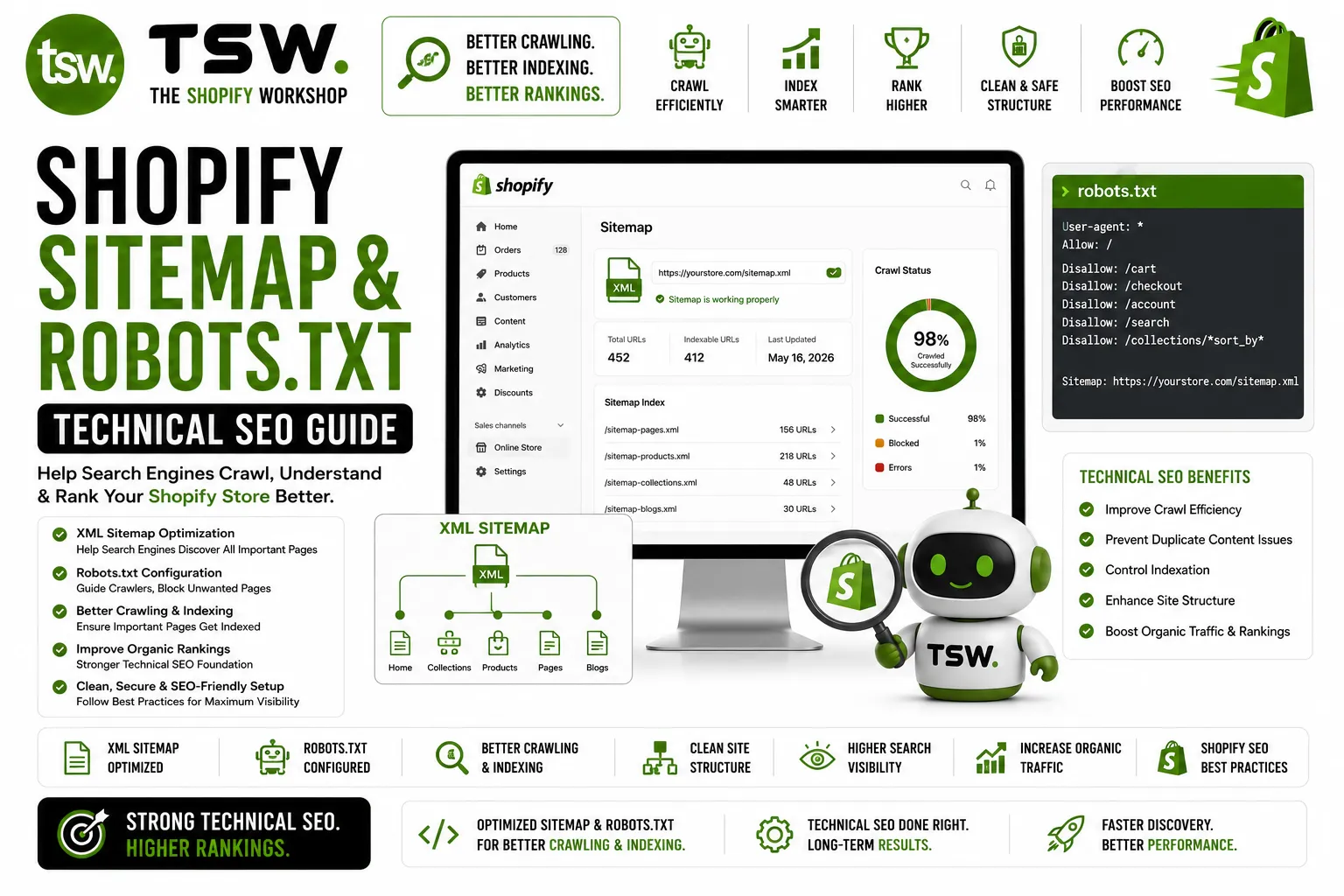
Shopify creates a sitemap index at /sitemap.xml containing references to child sitemaps for products, collections, pages, and blog posts. These update automatically as you add or remove content — no manual maintenance required.
What Gets Included
Published products, active collections, published pages, and published blog posts are included. Draft and password-protected content is excluded. Products hidden from search and online store are also excluded.
Common Issues
- Out-of-stock products remaining in sitemap (Shopify keeps them unless unpublished)
- Tag-based collection URLs creating unnecessary sitemap entries
- Pagination URLs not canonicalised properly
- Missing images in product sitemap entries
Robots.txt on Shopify
Default Configuration
Shopify’s default robots.txt blocks crawling of admin pages, checkout, cart, account pages, search results, and internal redirects. This is a sensible baseline that protects private pages while allowing product and content indexing.
Customising robots.txt
You can customise robots.txt through the robots.txt.liquid template in your theme. Add additional disallow rules, crawl-delay directives, or sitemap references. Be careful — incorrect rules can deindex your entire store.
Common Customisations
- Blocking faceted navigation URLs to prevent crawl waste
- Disallowing tag pages that create thin content
- Adding specific sitemap references for international versions
- Blocking development or staging theme previews
Crawl Budget Optimisation
For large Shopify stores with thousands of products, crawl budget matters. Ensure Google spends its crawl allocation on important pages. Block low-value URLs, use canonical tags consistently, and keep the sitemap clean. Monitor crawl stats in Google Search Console.
Monitoring and Maintenance
Regularly check Search Console for crawl errors, index coverage issues, and sitemap status. Submit sitemaps after major content changes. Audit robots.txt before and after theme changes. Proactive monitoring catches issues before they impact organic rankings.
Need technical SEO help? Request a crawl audit from our SEO specialists.