What Are Webhooks?
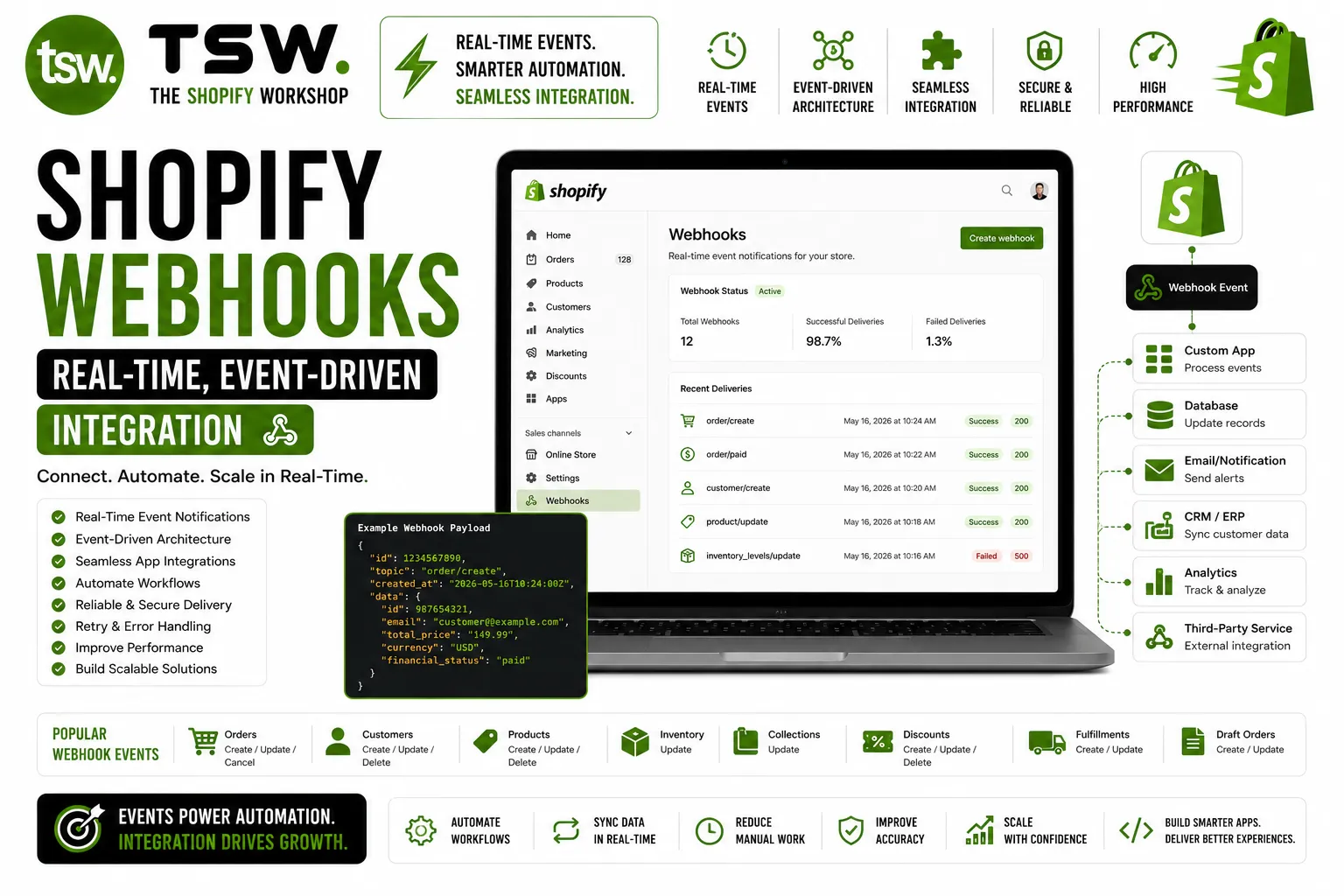
Webhooks are HTTP callbacks that Shopify sends when events occur in your store — order created, product updated, customer registered. Instead of constantly polling the API for changes, webhooks push data to your endpoint in near-real-time. Essential for our custom app development and integration projects.
Available Webhook Topics
Order Events
Track the complete order lifecycle: orders/create, orders/updated, orders/paid, orders/fulfilled, orders/cancelled. These power ERP sync, fulfilment triggers, and customer notification systems.
Product Events
React to catalogue changes: products/create, products/update, products/delete. Sync product data with external marketplaces, PIM systems, and marketing platforms in real time.
Customer Events
Handle customer lifecycle: customers/create, customers/update, customers/delete. Push customer data to CRMs, trigger welcome sequences, and maintain data consistency across systems.
Inventory Events
Monitor stock changes: inventory_levels/update, inventory_levels/connect. Critical for multi-channel inventory sync, low-stock alerts, and warehouse management integration.
Implementation Best Practices
HMAC Verification
Always verify webhook signatures using the HMAC-SHA256 hash in the X-Shopify-Hmac-SHA256 header. Compare against a hash computed from the request body and your app’s shared secret. Never process unverified webhooks — they could be spoofed.
Respond Fast
Shopify expects a 200 response within 5 seconds. If processing takes longer, accept the webhook immediately (return 200), queue the payload for background processing, and handle it asynchronously. Slow responses trigger retries.
Idempotent Processing
Shopify may send the same webhook multiple times. Design your processing to be idempotent — processing the same event twice should produce the same result. Use the webhook ID or event timestamp to detect duplicates.
Retry Handling
If your endpoint fails (non-2xx response), Shopify retries up to 19 times over 48 hours with exponential backoff. After 19 failures, the subscription is removed. Monitor webhook health and implement alerting for failures.
Queue Architecture
For high-volume stores, use message queues (Redis, SQS, RabbitMQ) between webhook receipt and processing. This buffers traffic spikes, enables parallel processing, and prevents data loss during downstream outages.
Monitoring and Debugging
- Log every incoming webhook with timestamp, topic, and payload size
- Track processing time and error rates per webhook topic
- Set up alerts for elevated failure rates or missing expected webhooks
- Use Shopify’s webhook delivery report in the admin for subscription health
Building webhook integrations? Our development team designs reliable, scalable event architectures.