Why Brands Are Leaving WooCommerce for Shopify
WooCommerce served the ecommerce community well, but growing businesses increasingly find themselves spending more time managing infrastructure than selling products. Security patches, plugin conflicts, hosting issues, and performance bottlenecks drive thousands of merchants to Shopify every month.
The Tipping Point
When your developer spending more time on maintenance than growth features, when downtime costs you sales, or when a security breach threatens customer trust — it is time to consider migration to Shopify.
Pre-Migration Planning
Data Audit
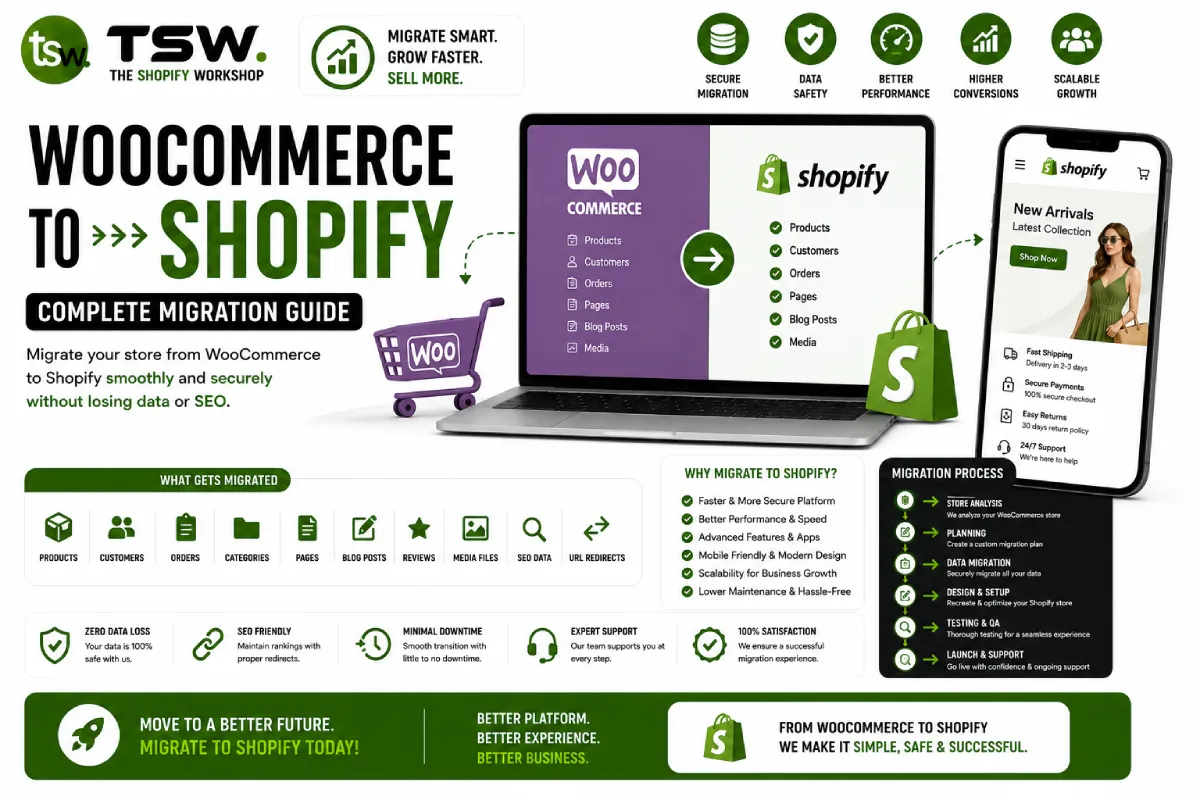
Document everything that needs to migrate: products (with variants, images, metafields), customers (with order history), blog content, pages, redirects, and any custom data structures. Export WooCommerce data via CSV and WordPress XML.
Feature Mapping
Map every WooCommerce plugin to its Shopify equivalent. Some features translate directly (reviews, email marketing), while others may require custom app development (complex product configurators, custom pricing rules).
URL Strategy
Shopify uses a different URL structure than WooCommerce. Products live under /products/, collections under /collections/. Create a complete redirect map from old URLs to new ones. Missing redirects mean lost SEO equity and broken bookmarks.
Migration Execution
Product Migration
Transfer products with all variants, images, SEO metadata, and custom fields. Use Matrixify or Shopify’s native import for large catalogues. Verify pricing, inventory levels, and variant options post-import.
Customer Data
Migrate customer accounts with order history intact. Customers will need to reset passwords (Shopify cannot import password hashes from WordPress), so plan a communication strategy with reset links and incentives.
Content Migration
Blog posts, pages, and custom content need careful formatting. WordPress shortcodes will not work in Shopify — convert them to HTML or Liquid equivalents. Preserve internal links and update them to the new URL structure.
SEO Preservation
Redirect Implementation
Import all 301 redirects via Shopify’s URL redirect tool or the Bulk Redirect app. Test every redirect using Screaming Frog or a similar crawler. Our SEO team monitors search performance throughout the transition.
Search Console Management
Submit the updated sitemap to Google Search Console immediately after launch. Monitor index coverage for crawl errors. Expect a temporary ranking fluctuation — properly executed migrations recover within 2-4 weeks.
Post-Migration Optimisation
Once live on Shopify, invest in speed optimisation, conversion rate optimisation, and a refreshed marketing strategy. The migration is an opportunity to improve everything, not just replicate what existed before.
Planning a WooCommerce to Shopify migration? Get a free migration assessment from our experienced team.